Every shared hosting provider has seen the "noisy neighbour" problem. One account runs a badly written import script, a WordPress cron storm or a crypto miner from a hacked plugin, and suddenly every site on the server is slow. Customers who did nothing wrong open tickets, and you spend the evening finding the culprit in top.
The fix is resource isolation: giving every hosting account hard limits on CPU, memory, disk IO and processes, so a single account can only ever use its own share. On Linux, the kernel feature behind this is control groups (cgroups).
This article explains:
- what cgroups are and how CPU, memory, IO and process limits work under cgroup v2,
- which limits matter on a shared hosting server, and which aren't handled by cgroups at all,
- the extra layers you need beyond cgroups (filesystem jails, per-account PHP pools, database limits),
- how to choose sensible per-package limits.
Along the way I'll show how this is packaged in HPanel, the self-hosted hosting control panel I work on, which builds per-account cgroups isolation into the panel itself.
Disclosure: I'm on the HPanel team. HPanel specifics come from the public features page. The cgroup v2 details are standard Linux kernel behaviour.
What cgroups actually are
A control group is a set of processes that the kernel accounts for and limits together. Under cgroup v2 (the unified hierarchy used by current Ubuntu LTS releases), cgroups appear as directories under /sys/fs/cgroup. Each directory exposes small files called interface files: you write a value to set a limit and read a file to see usage.
On a systemd-based server you can look at the tree with:
systemd-cgls          # the cgroup tree
systemd-cgtop         # live usage per cgroup, like top
cat /sys/fs/cgroup/cgroup.controllers   # which controllers are available
For hosting, the idea is simple: put every process belonging to one hosting account (PHP-FPM workers, cron jobs, SSH sessions, Node or Python apps) into that account's cgroup, then set limits on that cgroup. The kernel enforces them, so no cooperation from the customer's code is needed.
The four limits that matter most
1. CPU: cpu.max
cpu.max takes two numbers, a quota and a period in microseconds:
# allow 1 full CPU: 100 ms of CPU time per 100 ms period
echo "100000 100000" > /sys/fs/cgroup/<account>/cpu.max

# allow 2 CPUs
echo "200000 100000" > /sys/fs/cgroup/<account>/cpu.max
When the account uses up its quota within a period, its processes are throttled until the next period. They slow down instead of being killed. That's exactly what you want for a busy site: it gets slower, but the rest of the server doesn't notice.
There's also cpu.weight, a relative share used when the CPU is contended. Hard caps (cpu.max) give predictability. Weights give fairness without wasting idle CPU. Many setups use both.
2. Memory: memory.max and memory.high
echo 1G > /sys/fs/cgroup/<account>/memory.high   # start reclaiming/throttling here
echo 2G > /sys/fs/cgroup/<account>/memory.max    # hard ceiling
memory.highis a soft limit. Above it the kernel reclaims memory aggressively and slows the group down.memory.maxis the hard limit. If the group can't get back under it, the kernel's OOM killer acts inside that cgroup only. The account's own process dies, not your MariaDB server.
That last point is the whole value of memory isolation. Without it, a runaway PHP process in one account can push the entire server into swap or trigger the OOM killer on something critical.
3. Disk IO: io.max
# limit reads and writes on device 8:0 to 10 MB/s and 1000 IOPS
echo "8:0 rbps=10485760 wbps=10485760 riops=1000 wiops=1000" \
  > /sys/fs/cgroup/<account>/io.max
IO is the limit people forget. On SSD and NVMe servers, CPU is rarely the first bottleneck. More often it's a backup job, a big tar, or a plugin hammering the disk that makes every other site's database queries crawl. Throughput (rbps/wbps) and operation rate (riops/wiops) limits prevent these "IO storms".
4. Processes: pids.max
echo 128 > /sys/fs/cgroup/<account>/pids.max
This caps how many processes and threads the account can have. It's the defence against fork bombs and runaway scripts that spawn workers in a loop. Once the limit is reached, new fork() calls fail inside that account, and the rest of the server keeps running.
What cgroups don't cover
Some per-account limits that hosting customers think of as "resources" are handled by other mechanisms:
| Resource | Mechanism |
|---|---|
| Disk space | Filesystem quotas (block quotas per user) |
| Inodes (number of files) | Filesystem inode quotas |
| Monthly bandwidth | Traffic accounting (web server/log based) plus enforcement |
| Database load | Database-level limits (queries/connections per user) |
| Seeing other users' files | Permissions + a filesystem jail (chroot / mount namespaces) |
| PHP concurrency | Per-account PHP-FPM pool size (pm.max_children) |
A complete isolation setup combines cgroups with these. That's why "just enable cgroups" isn't the whole answer.
The other isolation layers
Filesystem jail
Even with CPU and memory capped, a compromised account shouldn't be able to see the rest of the server. A filesystem jail gives each user a restricted view, typically built with chroot and mount-based isolation, so they can't browse other users' home directories, system binaries or server configs.
Per-account PHP-FPM pools
If all sites share one PHP-FPM pool running as one user, both performance and security isolation are gone: one slow site exhausts the shared workers, and one webshell can read every site's files. A separate pool per account, running as that account's user, with its own pm.max_children, fixes both.
Database limits
The database server is shared by definition. A per-user MySQL governor limits queries, connections and updates per hour so that one account's heavy reporting query can't slow every other site's database.
How this looks in a hosting control panel
Setting all of this by hand across hundreds of accounts doesn't scale. You need packages, defaults and a UI that shows usage. In HPanel, isolation is part of the core (no extra kernel or extra license), and every hosting account gets hard limits on:
- CPU: a specific CPU core count per account, hard-enforced,
- RAM: hard memory limits per account,
- IO: per-account disk IO limits in MB/s, to prevent IO storms,
- Disk and inodes: hard disk quotas with real-time usage tracking and inode enforcement,
- Bandwidth: per-account tracking and enforcement,
- Processes: a maximum number of concurrent processes, to stop fork bombs and runaway scripts.
On top of that, HPanel provides a CageFS-style filesystem jail (users can't see other users' files, system binaries or server configs), per-account PHP-FPM pools with per-package PHP worker counts and priority, and a MySQL governor with per-user limits on queries, connections and updates per hour.
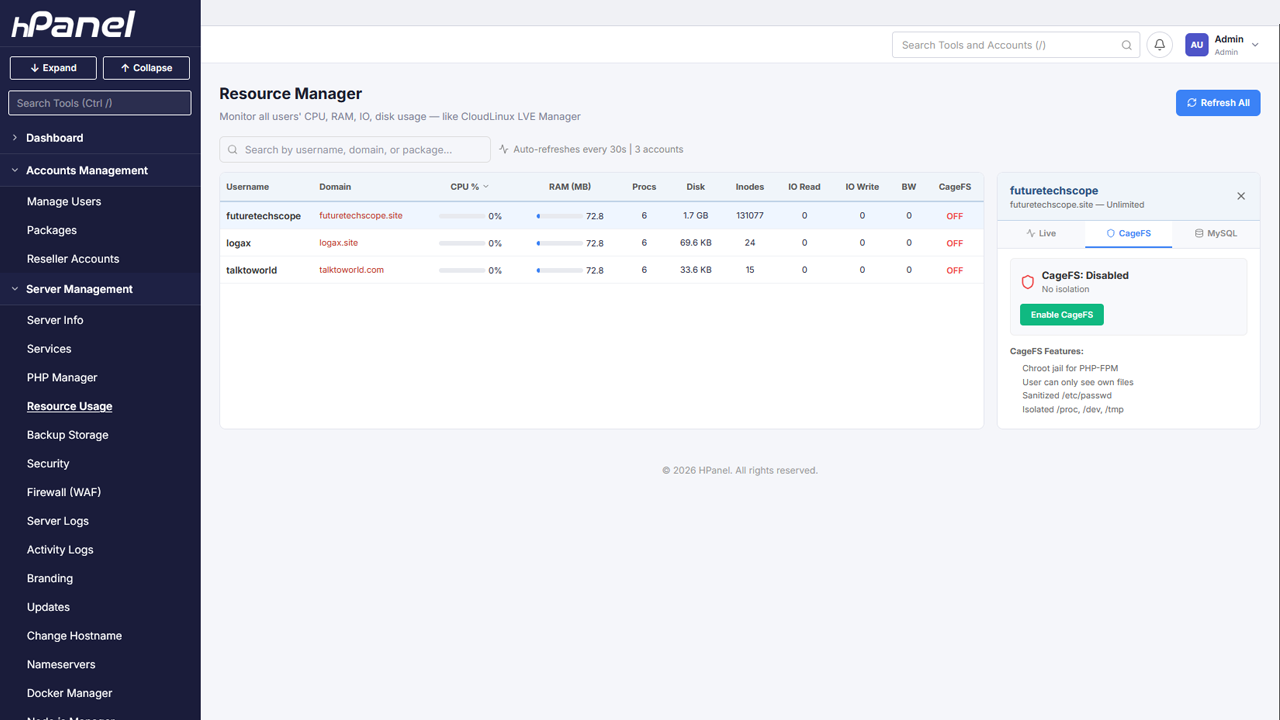
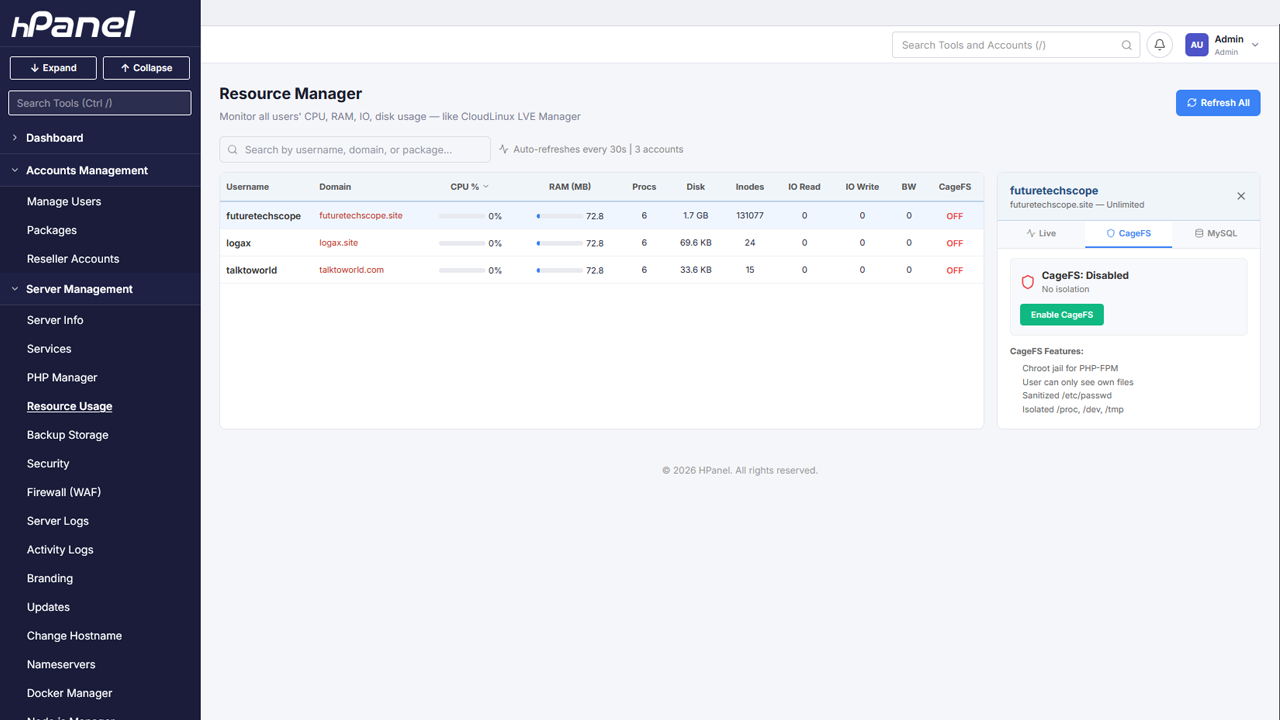 The HPanel Resource Manager: per-account limits and live usage.
Packages: limits as a product
Limits only make sense if they're tied to what the customer bought. In HPanel, limits are defined in hosting packages (disk, bandwidth, domains, subdomains, email accounts, databases, FTP, addon domains, CPU, RAM, IO, processes and PHP workers) and assigned to accounts. There are one-click presets to start from:
| Preset | CPU | RAM |
|---|---|---|
| Light | 1 CPU | 512 MB |
| Standard | 2 CPU | 1 GB |
| Power | 4 CPU | 2 GB |
| Unlimited | VPS-style | VPS-style |
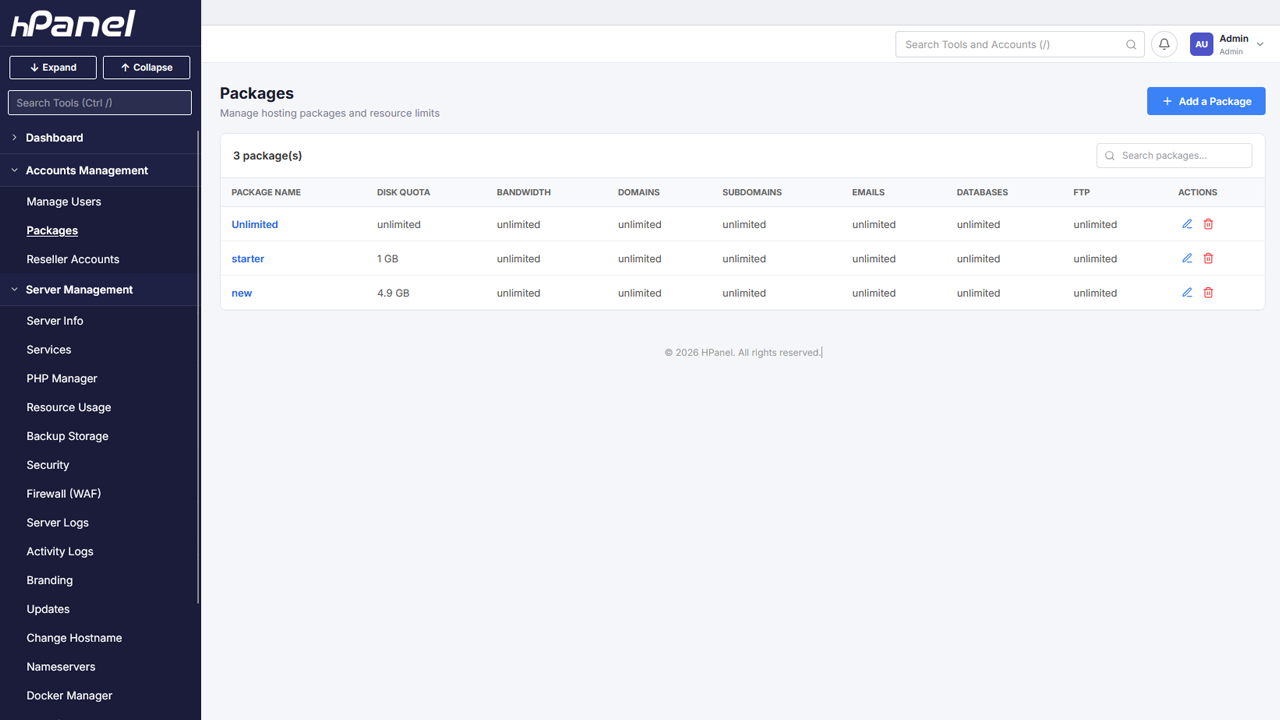 Hosting packages define each account's limits.
Customers see their own usage in the user panel, which cuts down on "why is my site slow?" tickets.
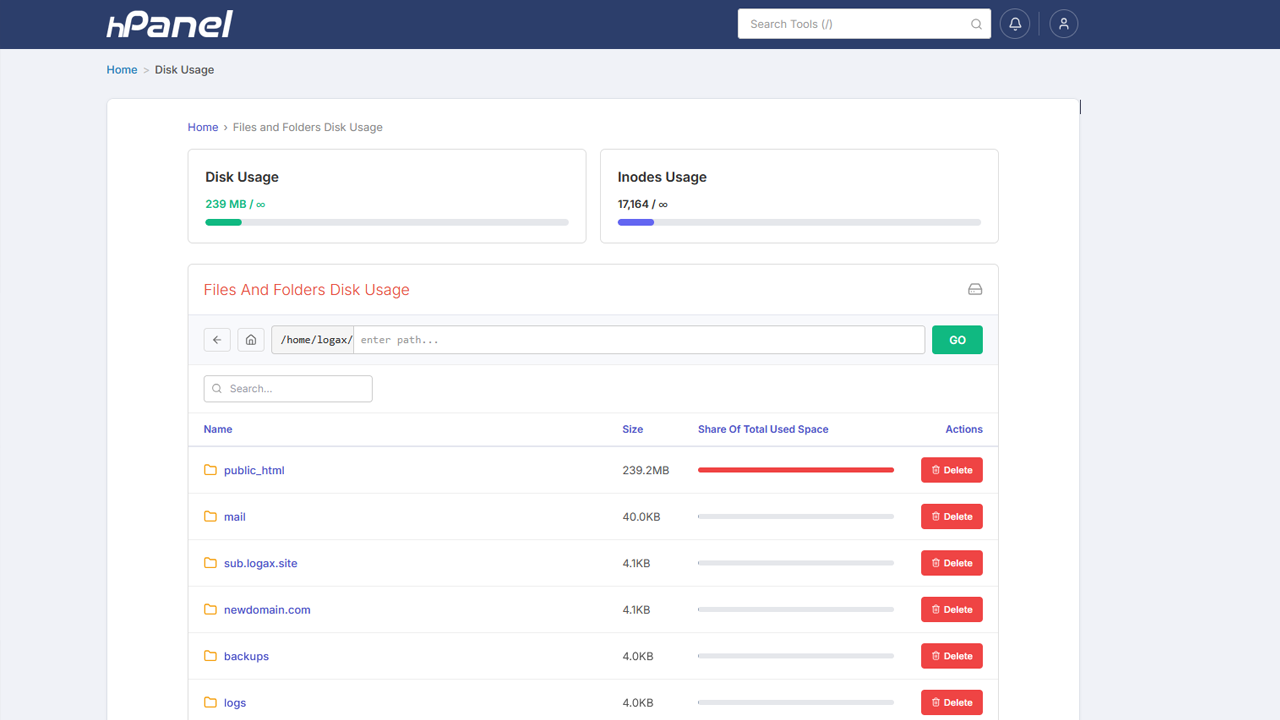 Disk usage breakdown in the user panel.
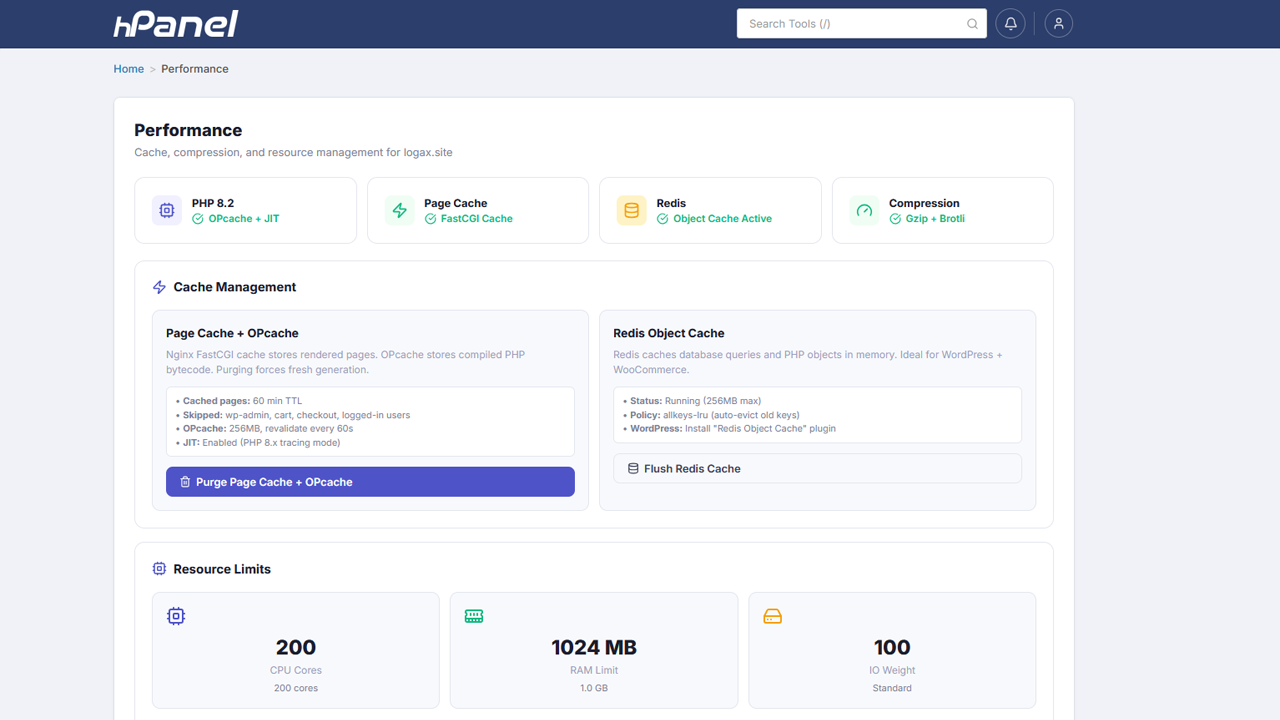 Per-account performance and caching settings.
Choosing sensible limits
Some practical guidance for setting package limits:
- Start from your hardware, not your marketing. Add up what you're promising. If 50 accounts each get 2 GB RAM on a 32 GB server, you're relying on most of them being idle. Some overcommit is normal on shared hosting, but know your ratio.
- CPU caps should allow bursts. Page loads are spiky. A 1-CPU cap is usually fine for a small WordPress site. A 0.25-CPU cap makes every uncached request feel slow.
- Set
memory.highbelowmemory.max(when you control both) so accounts get throttled before they get OOM-killed. - Don't forget IO. If you only cap CPU and RAM, the next incident will be disk-bound.
- Keep process limits generous but finite. Real sites need dozens of processes (PHP workers, cron, mail). Hundreds is usually fine. "Unlimited" is how fork bombs win.
- Match PHP workers to RAM. PHP-FPM
max_children× average PHP memory per process must fit inside the account's memory limit, or the account will hit its own ceiling under load. - Watch, then adjust. Use live usage data for a couple of weeks before tightening anything.
Debugging a throttled account
When a customer says "my site is slow", isolation changes the question from "what's wrong with the server?" to "is this account hitting its limits?". On a generic cgroup v2 system you can check directly:
cat /sys/fs/cgroup/<account>/cpu.stat        # nr_throttled, throttled_usec
cat /sys/fs/cgroup/<account>/memory.events   # high, max, oom_kill counters
cat /sys/fs/cgroup/<account>/io.stat         # bytes and ops per device
cat /sys/fs/cgroup/<account>/pids.current    # current process count
Rising nr_throttled means the CPU cap is binding. oom_kill events mean the memory limit is too low for the workload, or there's a leak. In a control panel, the same information should appear as per-account usage graphs, which is where you want your support team looking.
FAQ
Do cgroups slow down the server? The accounting overhead is small. cgroups are what systemd already uses to manage every service on a modern Ubuntu server. The "slowdown" people notice is the limit doing its job: an account that hits its CPU cap gets throttled.
Is cgroups isolation the same as running each account in a VM or container? No. Accounts still share one kernel and one set of system services. cgroups limit resources. Namespaces, chroot jails and permissions limit visibility. Together they give strong practical isolation for shared hosting, but not the hard boundary of separate virtual machines.
Can a customer raise their own limits? Not when the limits are set on the cgroup by root, which is the point. Customers change limits by moving to a bigger package.
What about Node.js, Python and Docker workloads? They need the same treatment. Long-running app processes are exactly the kind that can creep up in memory over days. In HPanel, Docker container CPU and memory limits come from the hosting package, and containers count against the user's disk quota, so app hosting follows the same rules as PHP sites.
Do I need a separate kernel or add-on for this? Not with cgroup v2 on current Ubuntu LTS releases. The controllers are in the standard kernel. What you need is the tooling to apply limits per account, consistently, and to show usage.
Wrapping up
Resource isolation turns shared hosting from "everyone suffers together" into "each account lives within what it bought". cgroups provide the kernel-level enforcement for CPU, memory, IO and processes. Filesystem quotas, a filesystem jail, per-account PHP pools and database limits complete the picture.
You can build all of it yourself. If you'd rather have it as the default on every account, HPanel includes per-account cgroups limits, a filesystem jail, per-account PHP-FPM pools and a MySQL governor in every plan, with one flat license per server and no per-account fees. The setup guide is in the documentation.
Ready to isolate every account on your server? Buy now.
About the author
- Self-hosted hosting control panel for Ubuntu servers. Website: https://hpanel.net/ Pricing: https://hpanel.net/pricing.php
Comments
Join the discussionNo comments yet. Be the first to comment.